
Before You Buy a New Server: Is Cloud Computing Better for Your Indianapolis Business?

For many Indianapolis businesses, replacing an aging server can seem like a straightforward IT decision. The hardware is getting old, storage is becoming limited, performance may be declining, and the business needs a reliable replacement.
But buying another physical server is not the only option.
Before committing to another major hardware purchase, business owners should consider whether their current infrastructure still makes sense for the way their company operates today.
For some organizations, replacing an on-premises server may be the right decision. For others, moving appropriate workloads to the cloud could provide a more flexible approach to managing technology, infrastructure, storage, and business applications.
The real question is not simply, “How much does a new server cost?”
It is:
“What infrastructure approach provides the best long-term value for our business?”
For Indianapolis businesses considering that decision, cloud computing deserves a serious evaluation.
Reciprocal Technologies provides Cloud Computing Services in Indianapolis, including hosted servers, hardware virtualization, cloud backup and file sharing, hosted desktops, Microsoft Azure solutions, and other cloud technologies.
The Server Replacement Decision Is Bigger Than the Hardware
When a physical server reaches the end of its useful life, the purchase price is only one part of the decision.
A new server may also require:
- Installation and configuration
- Operating system and software licensing
- Backup infrastructure
- Security configuration
- Monitoring and maintenance
- Replacement components
- Power and cooling
- Physical space
- Future upgrades
- Disaster recovery planning
- IT support
This means businesses should consider the total cost of ownership rather than looking only at the initial server quote.
For some companies, investing in new hardware remains practical. Certain applications may require local infrastructure, while other businesses may have specific performance or operational requirements.
However, an aging server also creates an opportunity to reconsider the overall technology strategy.
Instead of automatically repeating the same hardware replacement cycle, an Indianapolis business can evaluate whether cloud infrastructure could better support its current and future needs.
What Changes When a Business Moves to the Cloud?
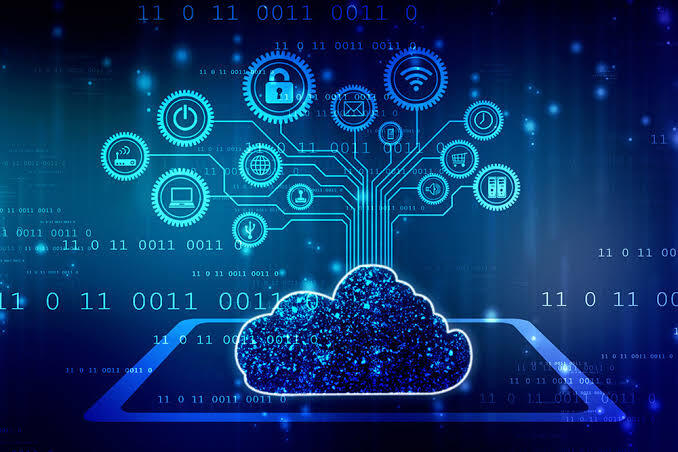
Cloud computing changes where and how technology infrastructure is delivered.
Instead of keeping all computing resources on equipment physically located inside the office, businesses can use infrastructure hosted in professional data centers and access it through secure internet connections.
Depending on the business, this can include:
- Hosted servers
- Cloud storage
- File sharing
- Hosted desktops
- Business applications
- Backup systems
- Email and communication platforms
- Virtualized infrastructure
Cloud computing does not mean simply uploading files to the internet and forgetting about them.
A business cloud environment still needs to be properly planned, configured, secured, monitored, and maintained.
Reciprocal Technologies’ Indianapolis cloud services include hosted server solutions, hosted desktops, hardware virtualization, cloud backup and file sharing, Microsoft Azure, hosted Microsoft Exchange, and other cloud technologies.
Cloud vs. Buying a New Server: What Should Businesses Compare?
A useful comparison should go beyond the initial purchase price.
1. Upfront Investment
Buying a physical server usually requires a significant upfront investment.
The business purchases the equipment and may also need additional storage, backup systems, networking equipment, software licenses, installation, and configuration.
Cloud services use a different financial model.
Instead of purchasing and owning all of the underlying infrastructure, the business pays for the cloud resources and services it uses.
This can reduce large capital expenditures and make technology expenses easier to plan.
However, businesses should not assume that cloud computing is automatically cheaper in every situation.
The correct comparison depends on how much infrastructure the business needs, how it uses its technology, how long the environment will operate, and what management and support are included.
2. Hardware Maintenance
A physical server remains a physical asset that needs attention.
Components can fail. Hardware eventually becomes outdated. Software requirements change. Storage capacity can become insufficient.
The business must also plan for what happens if the server experiences a major failure.
Cloud infrastructure can reduce the organization’s dependence on maintaining physical computing equipment at its own location.
That does not remove the need for IT management. Instead, the focus shifts toward managing the cloud environment, users, applications, security, data, backups, and access.
3. Office Space and Infrastructure
A server needs somewhere to operate.
Businesses need appropriate space, power, cooling, networking, and physical protection for on-premises equipment.
For smaller Indianapolis businesses, office space can be valuable. Eliminating or reducing the need for dedicated server hardware can potentially free up physical space while reducing some of the infrastructure required to operate that equipment.
Reciprocal Technologies also provides Hardware Services for businesses that continue to rely on physical infrastructure, including server migration and other hardware-related services.
That is important because the answer does not always have to be cloud or nothing.
A business may benefit from a combination of cloud and on-premises technology.
4. Scalability
Another consideration is future growth.
When purchasing a physical server, businesses have to estimate how much computing and storage capacity they will need.
Buying too little capacity can create another upgrade problem sooner than expected.
Buying too much can mean paying for capacity that the business does not immediately need.
Cloud infrastructure can provide additional flexibility because resources can be adjusted as requirements change.
For businesses experiencing growth, changing staffing levels, seasonal demand, or expansion, that flexibility may be valuable.
A Practical Indianapolis Business Comparison
Consider a hypothetical Indianapolis professional services company with approximately 20 employees.
Its existing server is approaching the end of its expected service life. Storage requirements are increasing, employees need reliable access to applications and files, and the company is preparing for continued growth.
The business has two obvious choices.
Option A: Replace the Existing Server
The company purchases a new physical server and continues operating its existing infrastructure model.
The project may involve:
- New hardware
- Server installation
- Software configuration
- Data migration
- Backup configuration
- Security updates
- Ongoing maintenance
The business retains its existing model, but it also retains responsibility for physical infrastructure.
Option B: Evaluate Cloud Migration
Instead of automatically purchasing another server, the company evaluates which workloads could be moved to a managed cloud environment.
The assessment might consider:
- Business applications
- File storage
- User access
- Backup requirements
- Security
- Remote access
- Disaster recovery
- Existing software
- Future growth
The business may ultimately move some systems to the cloud while keeping others locally.
The key point is that the company makes the hardware decision after evaluating its infrastructure, rather than assuming another server is the only solution.
When Buying a New Server May Still Make Sense
Cloud computing is not automatically the right choice for every business.
An on-premises environment may still be appropriate when:
- A critical application requires local infrastructure.
- The organization has specialized hardware requirements.
- Certain systems need to remain on-site.
- Internet connectivity is not suitable for critical operations.
- Existing infrastructure is still performing well.
- The company has a specific operational reason for maintaining local servers.
This is why businesses should avoid making an infrastructure decision based solely on the popularity of cloud technology.
The objective is to find the model that best fits the company’s applications, budget, security requirements, employees, customers, and future plans.
When Should an Indianapolis Business Consider the Cloud?
A cloud assessment may be particularly worthwhile if a business is experiencing several of these situations:
- Its server is approaching replacement age.
- Hardware maintenance costs are increasing.
- Storage requirements continue to grow.
- Employees need reliable remote access.
- The business is expanding.
- The company wants to reduce dependence on physical infrastructure.
- Backup and disaster recovery are difficult to manage.
- Office space is being used for IT equipment.
- The business wants more predictable technology expenses.
- The company is planning a major IT upgrade.
These circumstances do not automatically mean that everything should move to the cloud.
They simply indicate that the business should compare its current infrastructure with available alternatives.
Don’t Compare Only the Server Price
One of the easiest mistakes to make is comparing a new server’s purchase price against a monthly cloud subscription.
That does not provide a complete financial picture.
A more useful comparison considers the total cost of ownership over several years.
For on-premises infrastructure, the business may need to account for:
- Server hardware
- Storage
- Licensing
- Backup
- Maintenance
- Monitoring
- Security
- Power
- Cooling
- Replacement parts
- IT labor
- Disaster recovery
- Future upgrades
For a cloud environment, the business should evaluate:
- Monthly cloud services
- Storage
- Computing resources
- Backup
- Security
- Licensing
- Migration
- Connectivity
- Management
- Support
The goal is not to prove that cloud is always cheaper.
The goal is to determine which infrastructure model delivers the better overall business value.
Security Should Be Part of the Decision
Security should also be considered before deciding whether to purchase another server.
An on-premises server is not automatically secure simply because it is located inside the business.
Likewise, moving systems to the cloud does not automatically make them secure.
Both environments require appropriate controls around:
- User access
- Authentication
- Permissions
- Backups
- Software updates
- Monitoring
- Network security
- Data protection
- Disaster recovery
The cloud environment needs to be configured and managed correctly.
Reciprocal Technologies’ Indianapolis Cybersecurity Services are designed to protect business systems and data through measures such as network security, email protection, firewalls, filtering, and other security controls.
This is one reason infrastructure and cybersecurity should not be treated as completely separate decisions.
What Happens to Backup and Disaster Recovery?
A server replacement is also an opportunity to examine how the business would recover from an unexpected event.
Hardware failure is only one possibility.
Businesses also need to consider situations such as:
- Accidental deletion
- Hardware damage
- Cyberattacks
- Natural disasters
- Software problems
- Employee errors
- Extended equipment failure
Cloud-based backup and disaster recovery can form part of a broader business continuity strategy.
Reciprocal Technologies provides IT Data Services covering data backup, disaster recovery, and data recovery for businesses that need to protect critical information.
The important consideration is not simply where data is stored.
Businesses should know how their data is backed up, where recovery copies are maintained, how quickly systems can be restored, and who is responsible for the recovery process.
Cloud Migration Should Start With an Assessment
Businesses should not begin a cloud migration by simply choosing a platform.
The first step should be understanding the existing environment.
A professional assessment can examine:
- Current servers and hardware
- Business applications
- Data storage
- User requirements
- Remote access requirements
- Backup processes
- Security controls
- Licensing
- Connectivity
- Future growth plans
From there, the business can determine which systems should remain on-premises, which could move to the cloud, and whether a hybrid environment would be more appropriate.
For businesses considering the process itself, Reciprocal Technologies also provides resources on how to successfully migrate a business to the cloud.
This assessment-first approach is particularly useful when a business is already facing a major hardware purchase.
Cloud Does Not Have to Mean Moving Everything
One misconception about cloud migration is that businesses have to move their entire technology environment at once.
That is not necessarily the case.
A company might begin by moving:
- File storage
- Backup
- Certain applications
- Hosted desktops
- Selected servers
Other systems can remain on-premises if there is a legitimate business reason to keep them there.
This type of hybrid approach can provide a practical transition between traditional infrastructure and cloud services.
In fact, Reciprocal Technologies has previously addressed the role of hybrid IT strategies for businesses, including situations where organizations may need to balance cloud capabilities with existing on-premises infrastructure.
What About Remote and Hybrid Employees?
The infrastructure decision also needs to reflect how employees work.
Many businesses no longer operate with every employee sitting at the same desk and accessing the same physical server every day.
Employees may work from home, travel, work from customer locations, or operate from multiple offices.
Cloud-based systems can support this type of working model by allowing authorized users to access applications and business information through appropriate secure connections.
For businesses evaluating this area, Reciprocal Technologies also covers how cloud computing supports remote and hybrid work.
The important consideration is to ensure that remote access is designed securely rather than simply exposing business systems to the internet.
Cloud Services Can Be Part of a Larger IT Strategy
Cloud migration should not be treated as a standalone technology project.
It can affect:
- Cybersecurity
- Backup
- Disaster recovery
- Employee access
- Business applications
- Hardware requirements
- Software licensing
- IT support
- Business continuity
That is particularly important for small and midsize businesses that may not have a large internal IT department.
Reciprocal Technologies provides a broader range of IT Services in Indianapolis, including managed IT services, cybersecurity, data services, cloud solutions, hardware services, software services, and business communication services.
This allows businesses to look at cloud migration as part of a broader technology strategy rather than treating it as a single hardware replacement project.
Cloud vs. Server: Which Is Right for Your Indianapolis Business?
There is no universal answer.
For one Indianapolis business, purchasing a new server may be the most practical approach.
For another, continuing to invest in physical infrastructure may not provide the flexibility the company needs.
For another organization, a hybrid model may make the most sense.
The important point is to evaluate the options before purchasing new hardware.
If your current server is approaching the end of its useful life, this is an ideal time to review the bigger picture.
Compare the cost of replacing and maintaining the infrastructure with the potential cost, flexibility, scalability, security requirements, and long-term value of cloud computing.
Businesses can explore Reciprocal Technologies’ Cloud Computing Services in Indianapolis to learn more about hosted servers, cloud backup and file sharing, hardware virtualization, Microsoft Azure, hosted desktops, and other cloud solutions.
Final Thoughts
An aging server is more than a hardware problem. It can be an opportunity to reconsider how your business’s technology should operate over the next several years.
Before signing off on another server purchase, Indianapolis business owners should compare the complete cost and operational impact of staying on-premises with the potential value of a professionally managed cloud environment.
The right decision is not necessarily about choosing the newest technology.
It is about choosing an infrastructure model that supports the business, protects its information, manages costs, and provides room for future growth.
If your Indianapolis business is approaching a server replacement decision, consider evaluating the alternatives before making another major hardware investment. Cloud computing, on-premises infrastructure, or a combination of both may provide a better long-term fit depending on your organization’s needs.
Reciprocal Technologies can help businesses evaluate their existing environment and determine an appropriate technology strategy for their next stage of growth.
Frequently Asked Questions
1. Is cloud computing cheaper than buying a new server?
Not necessarily in every situation. Businesses should compare the total cost of ownership, including hardware, maintenance, backup, security, power, upgrades, IT management, and cloud service costs.
2. Should every Indianapolis business move to the cloud?
No. The right approach depends on the company’s applications, infrastructure, security requirements, budget, connectivity, and operational needs. Some businesses may benefit from a full cloud migration, while others may be better suited to a hybrid environment.
3. What should I do if my business server is reaching the end of its life?
Do not automatically purchase a replacement. First, evaluate the existing infrastructure and compare the cost and operational impact of replacing the server with cloud and hybrid alternatives.
4. Can a small business benefit from cloud computing?
Yes. Cloud solutions can allow small and midsize businesses to access computing, storage, backup, collaboration, and other technology services without maintaining as much physical infrastructure themselves.
5. Does moving to the cloud eliminate the need for IT support?
No. Cloud environments still require configuration, security, access management, monitoring, backup, troubleshooting, and ongoing administration. Professional IT support can help ensure that the environment continues to meet business and security requirements.Small businesses can still hold valuable financial, customer, and business information. Cybercriminals may target organizations with weaker security because they can be easier to compromise. Protecting business email helps protect the company, its employees, customers, vendors, and financial relationships.
About the Author

Christa Turner
Author’s recent posts
Download the
Business Owner’s Cybersecurity Blueprint