
Why Percussive Maintenance Isn’t Magic (or Good)
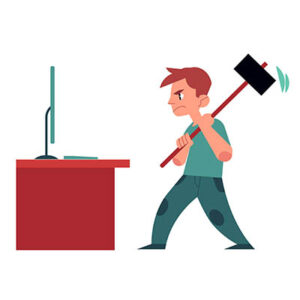
“Persuasion.” “Percussive Maintenance.” Whatever you call hitting your computer to make it work, we get it. We’ve all been there. Your Wi-Fi router drops the signal for the third time during a meeting, or your TV remote decides to go on strike. In a fit of frustration, you give it a firm slap; and miraculously, it starts working again.
It feels satisfying. It feels like you’ve asserted dominance over the machine. While that physical jab might provide a temporary fix to your immediate problem, you’re actually playing a dangerous game that will eventually cost you.
Here’s why percussive maintenance is decidedly not a best practice.
Modern Technology is Built on Micro-Scales
In the old days of CRT TVs, a physical jolt could actually reseat a loose vacuum tube or knock some debris loose. Today, things are different. Most modern devices rely on surface mount technology. We are talking about components smaller than a grain of salt soldered onto a board.
A hit might temporarily push a cracked solder joint back into contact, but it also weakens the surrounding joints. Every time you hit the device, you’re likely creating tiny new fractures that will eventually lead to a total board failure.
The Moving Parts Nightmare
If your device has a traditional Hard Disk Drive (HDD), hitting it can be a death sentence for your device. Inside an HDD, a read/write head hovers mere nanometers above a spinning platter. A sharp shock can cause a head crash, where the head physically gouges the platter. Once that happens, your data isn’t just “glitchy; it’s physically destroyed.
It Masks the Real Root Cause
Usually, when technology glitches, the physical hardware isn’t actually the problem. More often, it’s usually a software issue, overheating, or a bloated cache.
By hitting the device, you aren’t fixing the software bug or cleaning the dust out of the cooling fans. You’re just distracting yourself from the actual maintenance the device needs to run smoothly.
Better Ways to Vent Your Frustration
Instead of risking a broken screen or a shattered motherboard, try these peaceful alternatives.
For a router, simply unplugging it for 30 seconds to clear the temporary memory is often all it needs. If your laptop is acting up, open your Task Manager to see what is hogging your resources rather than taking it out on the chassis.
For remotes, a quick check for battery leakage or oxidation on the springs is more effective than a slap. If your monitor is flickering, it’s almost always a loose cable; a firm push on the HDMI connector is much safer than a hit to the screen.
Today’s technology is smarter, smaller, and significantly more fragile. That lucky hit that fixed your device today is likely the same reason it will die permanently next month. Next time you feel the urge to swing, take a deep breath and restart your device.
At Reciprocal Technologies, we provide proactive maintenance so that it works and keeps you from having the urge to give it a love tap. If you would like to learn more, give us a call today at 317-759-3972.
About the Author

Reciprocal Tech
Reciprocal Technologies has been serving the Indiana area since 2013 , providing IT Support such as technical helpdesk support, computer support and consulting to small and medium-sized businesses.
Author’s recent posts
Download the
Business Owner’s Cybersecurity Blueprint