
How to Cut Down Spam and Phishing While Keeping Real Customer Messages Intact
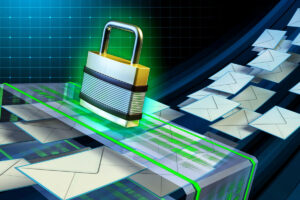
For any business, the inbox is a double-edged sword. On one side, it’s the lifeline of your operations, delivering new leads, client contracts, and critical internal communication. On the other hand, it creates a vector for cyberattacks. A single malicious email can deliver ransomware that cripples your entire network.
To combat this, businesses deploy aggressive spam filters. However, this creates a secondary problem: false positives. When security settings are dialed up to maximum, legitimate emails from vendors or potential customers often get caught in the dragnet, disappearing into the “Junk” folder, never to be seen again.
This tension between security and deliverability is a constant challenge. You cannot afford to lower your cybersecurity, but you also cannot afford to miss revenue generating emails. Solving this requires moving beyond basic spam filtering and implementing a layered email authentication strategy that verifies the sender’s identity without blocking valid traffic.
The Foundation of Email Trust: SPF, DKIM, and DMARC
Email was invented in the 1970s, and security was not built into the original protocol. This makes it incredibly easy for hackers to “spoof” an email address, making a message look like it came anywhere. To fix this, the industry developed three protocols that work together to verify sender identity.
If you’re struggling with spam or if your own emails are going to your clients’ junk folders, you need to ensure these records are correctly configured in your DNS (Domain Name System).
1. SPF (Sender Policy Framework)
Think of SPF as a guest list for your domain. It’s a text record that lists exactly which IP addresses and mail servers are authorized to send email on behalf of your company (e.g., Microsoft 365, Salesforce, Mailchimp). When an email arrives, the receiving server checks the list. If the sender isn’t on the list, the email is flagged as suspicious.
2. DKIM (DomainKeys Identified Mail)
DKIM adds a digital signature to every email you send. This works like a wax seal on an envelope. It proves that the email genuinely originated from your domain and that the content of the message was not altered in transit.
3. DMARC (Domain-based Message Authentication, Reporting, and Conformance)
DMARC is the policy engine. It tells the receiving server what to do if an email fails the SPF or DKIM check. You can set it to “None” (monitor only), “Quarantine” (send to spam), or “Reject” (block entirely). Implementing DMARC stops hackers from using your domain to phish your customers.
Tuning the Filter: Whitelisting and Blocklisting
While protocols handle the backend verification, your spam filter (like Microsoft Defender or Mimecast) makes the final decision based on content and reputation.
If legitimate emails are being blocked, resist the urge to turn the spam filter off. Instead, use “Allow Lists” (whitelisting). You can whitelist specific trusted domains or email addresses to ensure they bypass the filter. However, be cautious: do not whitelist an entire domain unless you trust their security implicitly. If a vendor gets hacked, their compromised account could send you malware that bypasses your filter because you whitelisted them.
Conversely, aggressive “Block Lists” are useful for stopping recurring spam from specific domains or geographic regions where you do not do business. If you never have clients in Russia or China, blocking traffic from those top-level domains can reduce noise significantly.
The Role of User Training
Technology catches about 99 percent of spam, but the remaining 1 percent is often the most dangerous. Sophisticated “spear phishing” attacks are designed to look like normal business correspondence, often lacking the malicious links or attachments that trigger filters.
No filter can replace human judgment. Training your employees to recognize the subtle signs of phishing: such as urgent requests for money, slight misspellings in email addresses, or unexpected changes in vendor payment details. This is your final layer of defense. A “Report Phishing” button integrated into your email client allows staff to flag suspicious emails, which helps train the filter to recognize similar attacks in the future.
FAQs
Why do valid emails from my contact form go to spam?
This is a common issue. When a website contact form sends an email, it often “spoofs” the sender address to look like it came from the person filling out the form. Because your website server is not authorized to send email for that person’s domain (like gmail.com), the email fails SPF checks. The fix is to configure the form to send from your own domain (e.g., website@yourcompany.com) and put the customer’s email in the “Reply-To” field.
What is a “Quarantine” folder vs. a “Junk” folder?
The Junk folder is user accessible; it lives in your Outlook. The Quarantine is usually an administrator managed holding area for high risk emails. If your filter is set to quarantine, users might not even know an email was blocked. Administrators should review quarantine reports daily or configure the system to send users a “Quarantine Digest” email so they can release valid messages safely.
Can I just lower the spam sensitivity setting?
You can, but it’s risky. Lowering the sensitivity threshold increases the number of phishing emails that reach your users. It’s safer to keep sensitivity high and manage exceptions via whitelisting than to open the floodgates to potential malware.
How do I know if my DMARC is set up correctly?
There are free online tools (like MXToolbox) where you can type in your domain name to check your records. However, interpreting the results and adjusting the policy without breaking your email flow requires technical expertise. It is best to have an IT professional configure this.
Securing the Channel Without Cutting the Line
Email security is not a binary choice between “safe” and “accessible.” It’s a spectrum that requires constant tuning. By implementing authentication standards like DMARC and actively managing your filter policies, you create an environment where spam is minimized, and legitimate business communication flows freely.
Do not leave your inbox to chance. A misconfigured filter can cost you a client, and a missing security protocol can cost you your data. At Reciprocal Technologies, we specialize in configuring email environments that balance aggressive threat protection with reliable deliverability.
About the Author

Reciprocal Tech
Author’s recent posts
Download the
Business Owner’s Cybersecurity Blueprint