
Fewer Password Resets: Building a Low-Friction Login Standard That Still Stops Attacks
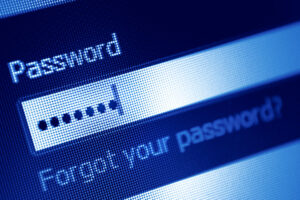
Most password policies fail for the same reason: they treat logins like a discipline issue instead of a workflow issue. Employees are not trying to be careless. They’re trying to do their jobs quickly.
When a policy creates too much friction, people respond with predictable workarounds:
- Reusing the same password across multiple sites
- Saving passwords in unsecured notes
- Using patterns that are easy to remember and easy to guess
- Calling IT for resets more often than they should
A modern password policy should do two things at once:
- Reduce the chance of account takeover
- Reduce the daily friction that causes bad behavior
Reciprocal Technologies offers a different approach: a login standard built around fewer rules, stronger enforcement, and better tools. A managed IT provider can help implement it across Microsoft 365 and devices, but you can understand the core structure first.
Start With the Real Threat Model
There’s a persistent fantasy in business security that somewhere, a hooded figure is furiously typing random character combinations trying to guess your password.
That’s not how it works. Almost ever.
Here’s how passwords actually get stolen in the real world:
Phishing. Someone clicks a fake Microsoft login page and hands over their credentials willingly, thinking they’re signing into Outlook. The page looked perfect. The URL was one letter off.
Credential stuffing. Your office manager used the same password for their company email and their kid’s soccer league website. The soccer site got breached in 2022. Now attackers are trying that exact password on your Microsoft 365 tenant. At 3 AM. From Eastern Europe.
Malware. A keylogger installed through a bad browser extension or a pirated software download quietly records every keystroke and sends it to a server your antivirus has never heard of.
Weak recovery flows. The “Forgot Password” process asks for a security question. The answer to “What city were you born in?” is on the employee’s public Facebook profile.
MFA fatigue. The attacker already has the password and is spamming the employee’s phone with MFA approval requests at 11 PM, hoping they’ll hit “Approve” just to make it stop. It works more often than anyone wants to admit.
Notice what’s missing from that list? Brute force guessing. The thing your 30-day rotation policy is designed to prevent barely exists as a real-world threat anymore.
So stop building policy around a fake stereotype and start building it around what’s actually coming through the door.
That means: unique credentials everywhere, MFA on everything that matters, and a fast kill switch when an account gets compromised. Everything else is decoration.
The “Three-Part Standard” That Works for Most Businesses
Long policy documents full of exceptions and edge cases do not get followed. They get filed away and forgotten. What works is a small number of enforceable standards that cover the risks that actually matter.
First, require long passphrases instead of short complexity puzzles.
Set a meaningful minimum length. Fourteen characters for standard user accounts. Sixteen to twenty for administrators. Allow and encourage passphrases that users can actually remember, like “BlueCoffeeMugOnMyDesk” or “DriveCalmlyToWorkEveryDay.” Complexity still matters, but length is usually the single biggest improvement for real-world security. A 20-character phrase with no special symbols is harder to crack than an 8-character string of random characters.
Second, require multi-factor authentication where it counts.
MFA should be mandatory for email, VPN or remote access, cloud admin portals, finance and HR systems, and any system that can reset other passwords. This is how you reduce the damage when a password is inevitably stolen. The password becomes one layer instead of the only layer.
Third, prevent known bad passwords automatically.
Users should not be allowed to set common passwords, previously breached passwords, or simple variations of your company name. This is one of the most effective controls available, and it removes the need for overly complicated rules that frustrate employees. Let the system reject bad choices so users do not have to guess what is strong enough.
Three standards. Enforceable. Understandable. Effective.
A Better Approach to Password Changes
Mandatory 60-day password rotations persist because they feel like security. Changing passwords regularly sounds responsible. It gives the impression of active defense.
In practice, it usually makes things worse.
When people are forced to change passwords constantly, they develop systems. Those systems are predictable. Spring2025 becomes Summer2025 becomes Fall2025. Attackers know this. Credential stuffing tools are built to exploit it. The policy creates the exact behavior it was meant to prevent.
A lower-friction approach focuses on risk, not schedules:
Do not force frequent changes for standard users. Force changes when there is actual evidence of risk. A phishing click. Unusual sign-in behavior. A breach notification involving credentials your employees might have reused. An employee termination or role change that involved sensitive access. Those are the moments when passwords need to change, not arbitrary calendar dates.
Some regulated environments still require periodic rotation. If that applies to you, extend the interval as much as your compliance framework allows and pair the requirement with MFA, a password manager, and compromised password blocking. That combination reduces the predictable seasonal patterns attackers expect while still meeting the audit checkbox.
Build Policy Around Password Managers, Not Memory
If your policy requires unique passwords for every system, you need to give employees a tool that makes that possible. Human memory does not scale. People have dozens of logins. Expecting them to remember a unique, strong password for each one without writing anything down is not realistic.
A password manager changes the equation.
Employees can create genuinely unique passwords for every system without memorizing any of them. Secure sharing replaces the sticky note on the monitor and the password in the group chat. Onboarding gets faster because credentials can be provisioned through controlled vault access. Offboarding gets cleaner because access can be revoked in one place.
Many small businesses think of password managers as convenience tools. They are actually foundational security controls. Without one, employees will find their own solutions, and those solutions will be insecure.
Keep the rollout simple.
One approved password manager. One training session. Clear rules that all business credentials get stored in that tool and nowhere else. Complexity kills adoption. Make it easy and people will use it. Make it complicated and they’ll go back to reusing the same password everywhere.
Reduce Reset Tickets with Better Recovery
Password resets are one of the most common help desk requests in any organization. Part of that is unavoidable. People forget passwords. But a significant portion of reset volume comes from recovery processes that are inconsistent, confusing, or too restrictive.
Fix the process and ticket volume drops:
Enable self-service password reset for your identity platform wherever possible. When users can verify their identity through a secondary method and reset their own password without waiting for IT, most resets never become tickets. Pair this with MFA so the self-service process is secure, not just convenient.
Standardize recovery methods across the organization. An authentication app should be the default. Hardware keys should be required for administrators. Backup codes should be stored securely in the password manager, not written on paper or saved in a notes app.
Tune lockout thresholds so small typos do not lock people out after three attempts. Aggressive lockouts create frustration without meaningfully improving security. A reasonable threshold with automatic unlock after a short cooldown discourages brute force attacks without punishing employees who mistype before their coffee kicks in.
Finally, document a clear process for lost phones and MFA resets. That scenario will happen. When it does, everyone should know exactly what steps to follow without improvising.
Separate Policies for Admin Accounts
Administrator accounts are not regular accounts with extra permissions. They’re the keys to your entire environment. If an attacker compromises a standard user, they get access to that user’s files and email. If they compromise an admin account, they can access everything, create new accounts, disable security controls, and cover their tracks.
Treat admin accounts differently because the risk is different.
Use separate admin accounts rather than elevating a standard user account when administrative work is needed. This creates a clear boundary. The admin account is used only for administrative tasks, logged separately, and monitored more closely.
Enforce stronger MFA for admin accounts. Push notifications are acceptable for standard users. Administrators should use hardware keys wherever possible. The extra friction is worth the protection.
Require longer passphrases for admin accounts. If standard users need 14 characters, administrators should need 16 to 20. Restrict admin logins to trusted devices and locations where your environment supports it. An admin login from a personal laptop in another country at 3am should trigger an immediate alert, not silent approval.
Monitor admin activity and sign-ins continuously. These accounts are what attackers want most. Visibility into how they are used is not optional.
Training That Doesn’t Make People Want to Quit or Doze Off
If your annual security training involves a 47-slide PowerPoint narrated by a monotone voiceover from 2019, your employees aren’t learning anything. They’re clicking “Next” as fast as possible while checking their phone.
Good password training takes 10 minutes, happens quarterly, and focuses on exactly five things:
1. “That login page might be fake.”
Show them a real Microsoft login page and a phishing replica side by side. Point out the URL difference. Make it visceral. Once someone sees how convincing the fakes are, they start checking URLs instinctively.
2. “If you didn’t request an MFA prompt, something is very wrong.”
Teach them that an unexpected “Approve this login?” notification is not a glitch. It means someone has their password RIGHT NOW and is trying to get in. The only correct response is “Deny” followed by an immediate password change and a message to IT.
3. “The password manager is not optional.”
Demo it live. Show them how to save a password, how to auto-fill, how to generate a random passphrase, and how to share a credential securely with a teammate. Make it feel like a shortcut, not a chore.
4. “Never share credentials outside the vault.”
No Slack messages. No emails. No sticky notes. No “I’ll just tell you and you can type it in.” If it can’t go through the password manager’s sharing feature, it doesn’t get shared.
5. “Reporting is not tattling.”
Create a culture where reporting a suspicious email or a weird MFA prompt is praised, not punished. The employee who reports a phishing email in 30 seconds saves the company infinitely more money than the employee who stays quiet because they’re embarrassed they almost clicked.
The goal is to make five specific reflexes automatic. When those reflexes exist across your whole team, your password policy practically enforces itself.
FAQs
Do we still need passwords if we enforce MFA everywhere?
Yes. MFA reduces risk when passwords are stolen, but passwords still matter. You want both: strong unique passwords and MFA for all systems. This combination protects against more attack types than either control alone.
Is it safe to stop forcing password changes every 60 or 90 days?
For many businesses, yes, especially when combined with MFA, compromised password blocking, and monitoring. Frequent forced changes often lead to predictable patterns and reuse. Some regulated environments require rotation, but even then the best approach is to support employees with a password manager and longer intervals.
How do we stop employees from reusing passwords?
Make reuse unnecessary. Provide a password manager and require unique credentials for every system. Also block compromised passwords and enforce MFA. Reuse is usually a convenience behavior. Remove the convenience incentive and it declines quickly.
What should we do when an employee gets phished
Reset the password immediately, revoke sessions, and confirm MFA is still enabled. Review sign-in logs for suspicious activity. If your environment supports it, trigger a conditional access review. Also evaluate whether the attacker set mailbox rules or forwarding. A managed IT provider can standardize this response so actions are consistent and fast.
Should we allow shared passwords for team accounts?
Avoid shared passwords where possible. Use named accounts with role-based permissions. If a shared credential is unavoidable, store it in a password manager with controlled access and logging, and rotate it on staff changes. Shared passwords are a major source of long-term risk when not managed correctly.
A Password Policy People Follow Is a Security Control
If your current policy generates constant resets, you are not just wasting time. You’re encouraging insecure behavior. A better standard focuses on what actually prevents compromise:
- Long passphrases
- MFA on the systems that matter
- Blocking known bad passwords
- Password managers for unique credentials
- Better recovery processes that reduce lockouts
With this approach, users spend less time fighting login rules and more time working, while your business becomes harder to compromise.
If you want to turn these ideas into an enforceable setup across Microsoft 365, devices, and remote access, Reciprocal Tech can help implement the controls and provide the training that keeps the policy practical.
About the Author

Reciprocal Tech
Author’s recent posts
Download the
Business Owner’s Cybersecurity Blueprint